SEO Checklist for New Websites: Everything to Set Up From Day One
Most websites are built backwards: designed first, with SEO bolted on later, if ever. The result is a beautiful site that Google barely notices, followed months later by expensive retrofitting that should never have been needed. Building SEO into your website from day one costs almost nothing extra and saves months of catch-up work.
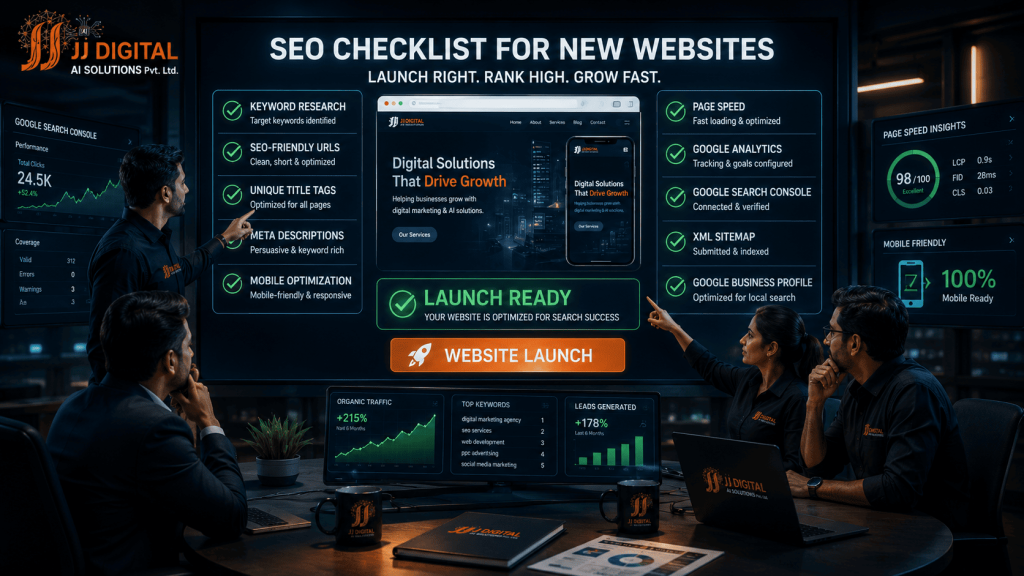
This checklist covers everything a new website needs for SEO, organised by stage: before building, during building, at launch, and after launch. Hand it to whoever is building your site, or use it to audit what they delivered. Every item is explained in plain language.
Stage 1 – Before Building: The Foundation Decisions
The biggest SEO wins and losses happen before a single page is designed. Decisions at this stage shape everything after:
- Do keyword research first. Before any design work, know what your customers actually search for. Your entire site structure should be built around these terms, one main keyword theme per page. Discovering keywords after building means rebuilding.
- Plan one page per service. Do not cram five services onto one generic “Services” page. Each service deserves its own dedicated, detailed page that can rank independently for its own searches. This single structural decision often separates ranking sites from invisible ones.
- Choose fast, reliable hosting. Cheap hosting means slow loading, and slow loading suppresses rankings forever after. This is the foundation everything sits on; do not economise here.
- Use a clean, simple domain – short, memorable, matching your business name. Avoid hyphens and keyword-stuffed domains that look spammy.
Stage 2 – During Building: On-Page Essentials
These items must be built into the site, not added later:
- SEO-friendly URLs. Readable addresses like /services/interior-design, never /page?id=47. URLs should describe the page in words.
- Unique title tag for every page. The title is what appears in Google results, your headline in the search marketplace. Include the page’s main keyword, keep it under 60 characters, and never duplicate titles across pages.
- Meta description for every page. The 150-character summary under your title in results. It does not directly affect ranking, but it decides whether searchers click you or the next result.
- One H1 heading per page containing the main keyword, with H2 and H3 subheadings organising content logically. Headings are how both humans and Google understand page structure.
- Mobile-first design. The site must look and work perfectly on phones before desktop, because that is how Google evaluates it and how most visitors arrive.
- Compressed images. Oversized image files are the single most common cause of slow sites. Compress everything, and give images descriptive file names and alt text.
- Original content on every page. A few hundred genuinely helpful words minimum on every important page. No copied text, no lorem ipsum accidentally left live, no near-empty pages.
- Internal links. Pages should reference each other naturally, service pages linking to related services, blogs linking to relevant service pages, helping visitors and Google navigate your site’s full depth.
- Clear contact information on every page: phone, address, hours, matching your Google Business Profile exactly.
Stage 3 – At Launch: Technical Setup
Launch day has a technical checklist of its own, and skipping items here causes the silent failures that mystify owners for months:
- Install an SSL certificate (https). Google flags non-secure sites in browsers and ranks them lower. Non-negotiable.
- Set up Google Search Console. Free and essential: it shows how Google sees your site, which pages are indexed, what searches you appear for, and alerts you to problems.
- Set up Google Analytics. Free visitor tracking: where traffic comes from, what people do, which pages convert. Without it, months of irreplaceable data are simply lost.
- Submit your XML sitemap through Search Console so Google discovers all your pages quickly rather than stumbling on them over months.
- Verify indexing settings. A shocking number of new sites launch with a leftover “noindex” setting from development that tells Google to ignore the entire site. Check this explicitly, it is the most common catastrophic launch error we encounter.
- Test speed on PageSpeed Insights and fix what it flags before celebrating the launch.
Stage 4 – After Launch: Visibility Building
The site is live and technically sound; now visibility construction begins:
- Create your Google Business Profile (for local businesses) with complete details and real photos. For local search, this asset rivals the website itself.
- List your business on key directories – JustDial, IndiaMART, industry-specific platforms – with name, address, and phone identical everywhere.
- Start collecting Google reviews from your first happy customers; early reviews accelerate early rankings.
- Publish helpful content on a schedule. A blog answering real customer questions gives Google fresh pages to rank and customers reasons to trust you. Consistency beats volume.
- Monitor Search Console weekly during the first months: watch indexing progress, catch errors early, and see which searches begin surfacing you.
A Real Business Example
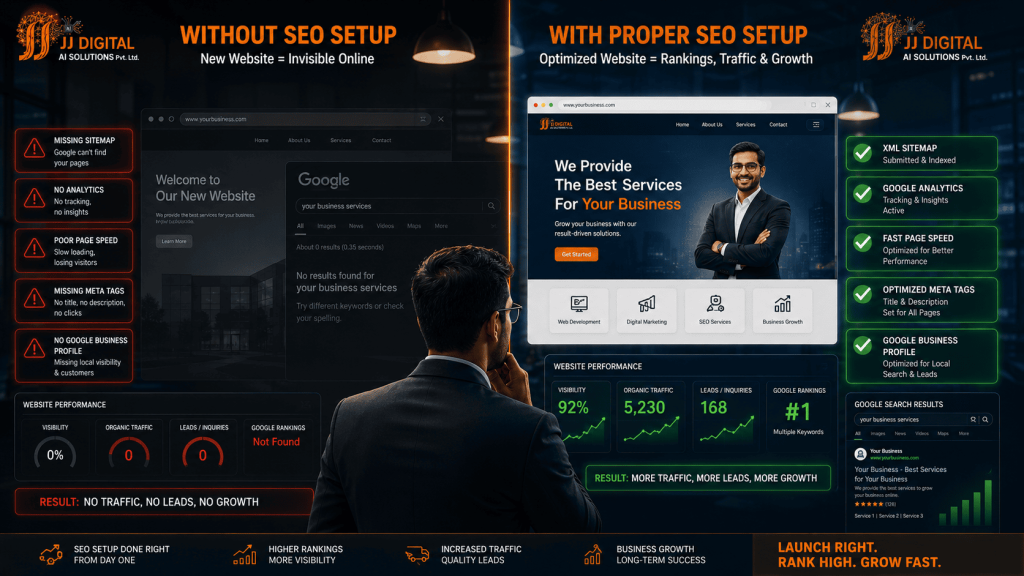
Two similar service businesses launched websites in the same month. The first followed this checklist: keyword-planned structure, dedicated service pages, fast hosting, full technical setup at launch, and an optimised Google Business Profile from day one. The second launched a designed-only site, “SEO was phase two,” scheduled vaguely for later.
Six months on, the first business ranked for dozens of local keywords, appeared in the map pack, and received weekly organic enquiries. The second was effectively invisible, and their “phase two” had become an expensive rebuild: restructuring pages, rewriting content, and untangling technical problems that correct setup would have prevented. Same budget, same timeline, opposite outcomes, decided entirely by launch decisions.

Common New-Website SEO Mistakes
- Leaving the development “noindex” tag live after launch (Google cannot see the site at all)
- Launching with placeholder text or duplicate content on key pages
- One generic “Services” page instead of dedicated pages per service
- No analytics setup, losing months of baseline data forever
- Postponing the Google Business Profile – the highest-ROI free asset – to “later”
- Choosing hosting on price alone and inheriting permanent slowness
Frequently Asked Questions
When should SEO start for a new website?
Before design begins. Keyword research should shape the site’s structure, and technical SEO requirements should be part of the build specification. SEO as an afterthought always costs more than SEO as a foundation.
How much content does a new website need at launch?
Every core page, home, each service, about, contact, should launch with genuinely useful, original content of at least a few hundred words. Launch lean but complete, then expand with blogs and additional pages on a steady schedule.
Does a new website need a blog?
Not on day one, but soon. A blog answering real customer questions is the primary engine for ranking on the many searches your service pages alone cannot cover, and it keeps the site fresh in Google’s eyes.
Launch Right with JJ Digital
JJ Digital builds websites with SEO in their DNA, not bolted on afterward. Every site we deliver launches with this entire checklist already complete, so Google starts working for you from week one.
What JJ Digital Brings to Your Business
- SEO-first website development – structure, speed, and content engineered to rank
- Complete technical setup – Search Console, Analytics, sitemap, indexing all verified at launch
- Local visibility included – Google Business Profile configured alongside the site
- Content that ranks – keyword-planned pages written for your customers
- Post-launch growth – we monitor, maintain, and build your visibility after going live
Your website’s first six months are decided before launch day. Build it right from the start.
Ready to grow? Contact JJ Digital today for a free consultation. Let us look at your business and show you exactly what is possible.
JJ Digital – Digital Marketing & AI Solutions, Bhubaneswar, Odisha
Leave a Reply